Console settings
Every option in Tools → Console Settings — PTT key, idle disconnect, themes, VFO style, spots display, macros and network relay.
Updated 12 Nov 2026
Open Tools → Console Settings, or go straight to a section with its URL: /console/settings/console/general, /view, /macros or /advanced. Settings are saved to your account, so they follow you between browsers — except voice-macro recordings, which stay on the device. Press Esc to close the window.
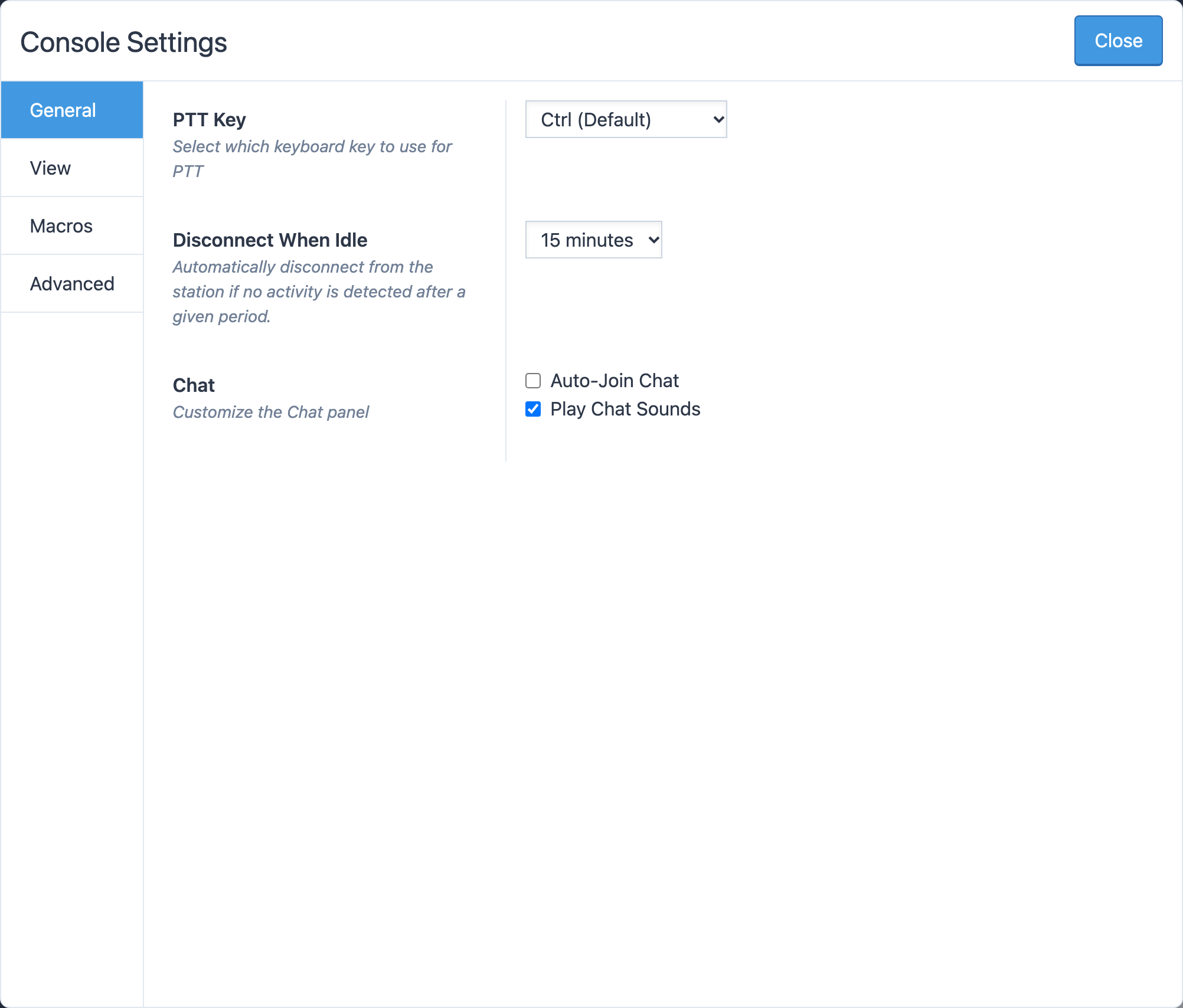
General
- PTT Key — the key you hold to transmit: Ctrl (Default), Shift, Ctrl + Shift, Alt + Shift or Alt + Spacebar (Option in place of Alt on a Mac). See Transmitting.
- Disconnect When Idle — how long the console waits with no activity before asking Are you still there? and then disconnecting: 5, 15, 30 or 45 minutes, 1, 2, 4, 8, 12 or 24 hours, or Never. The dialog plays an alert sound, and offers I'm Still Here, Disconnect Me, and a checkbox Don't ask me again - I will power off when I'm done that silences the check for the rest of that connection — airtime included.
- Chat — Auto-Join Chat and Play Chat Sounds. See Chat, news and the DX calendar.
View
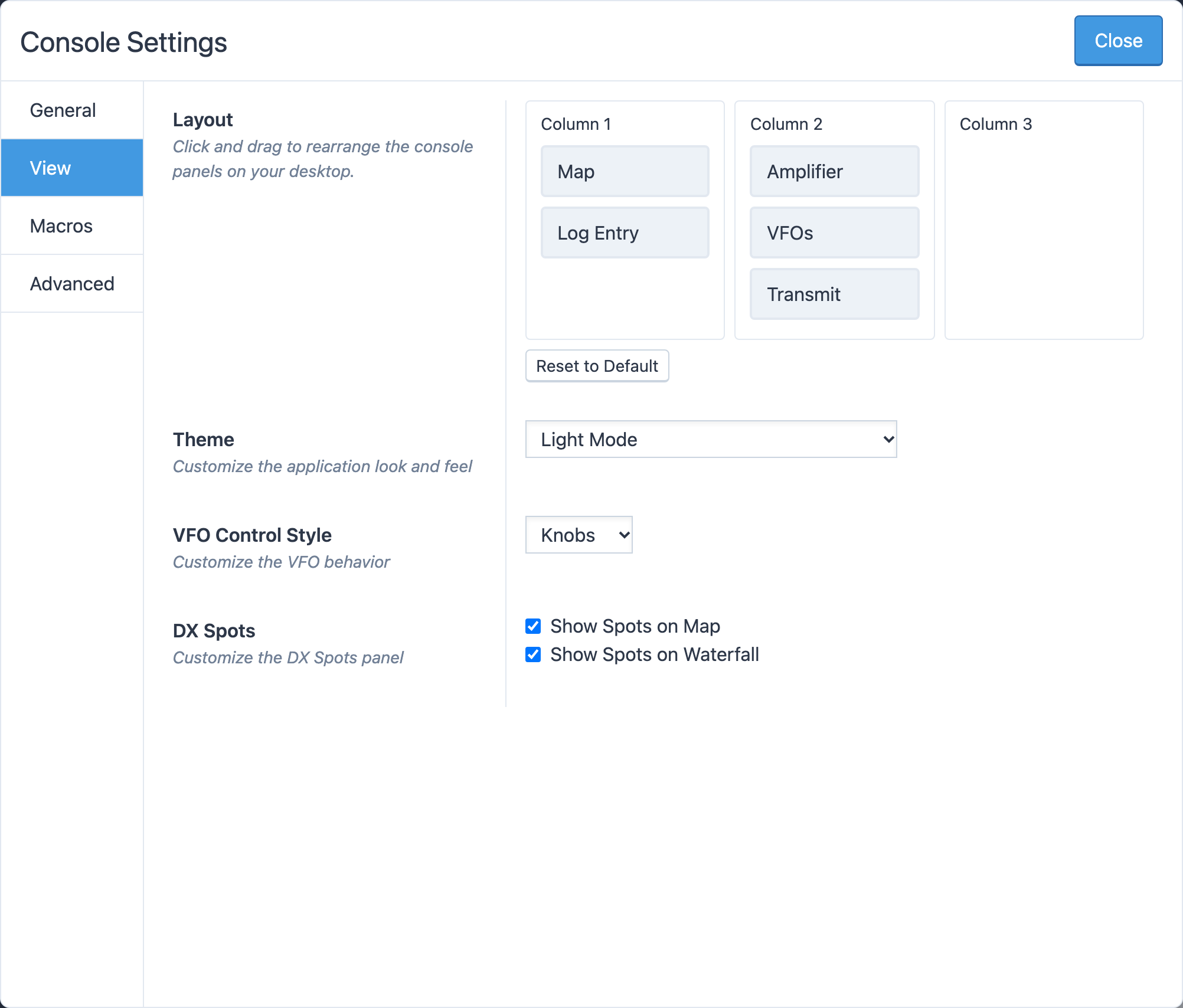
- Theme — Light Mode, Light Mode + Deuteranopia/Protanopia, Dark Mode, Dark Mode + Deuteranopia/Protanopia. The colorblind variants replace the red/green status colors.
- VFO Control Style — Knobs, Buttons or Slider. See Tuning and the VFO.
- DX Spots — Show Spots on Map and Show Spots on Waterfall. See DX spots.
Macros
CW Macros (F1–F5, with labels, text and substitutions), CW Run Mode Macros (the Enter and Shift-Enter messages for run mode, with Reset Run Mode Macros to Defaults) and Phone Macros (recordings, Macro Monitor Volume and Macro Repeat). See CW, Run mode and ESM and Voice macros.
Advanced
- Networking — Force RTC network relay sends your audio through RHR's relay servers even when a direct path exists; Block RTC network relay refuses the relay and insists on a direct path. Leave both off unless Connection problems sends you here; a direct connection is normally lower latency, but some networks only work relayed.
- Audio System — read-only diagnostics: the audio sample rate and whether the console could open your microphone and list your devices. Useful when writing to support about an audio problem.
Related articles
-
Operating the console
Transmitting
Push to talk from the keyboard, mouse or touch screen, use VOX, set power and the monitor, read the meters and understand transmit lockouts.
-
Operating the console
Tuning and the VFO
Type a frequency, pick a band and mode from the presets, and tune with knobs, buttons or a slider.
-
Operating the console
CW
Send CW from the keyboard as you type, with F1–F5 macros, speed and sidetone controls, and a one-click RBN check.
-
Troubleshooting
Connection problems
What to do when the console will not connect, keeps reconnecting, or the audio stutters.
Still stuck?
Tell us what you were trying to do and what happened, and we'll help.