Using a phone or tablet
The console on a small screen — the tab bar, the touch PTT button, touch tuning and what to expect.
Updated 12 Nov 2026
On this page
The console runs in the browser on a phone or tablet with no app to install. On a screen narrower than a laptop's it rearranges itself into tabs, and the controls grow to suit fingers.
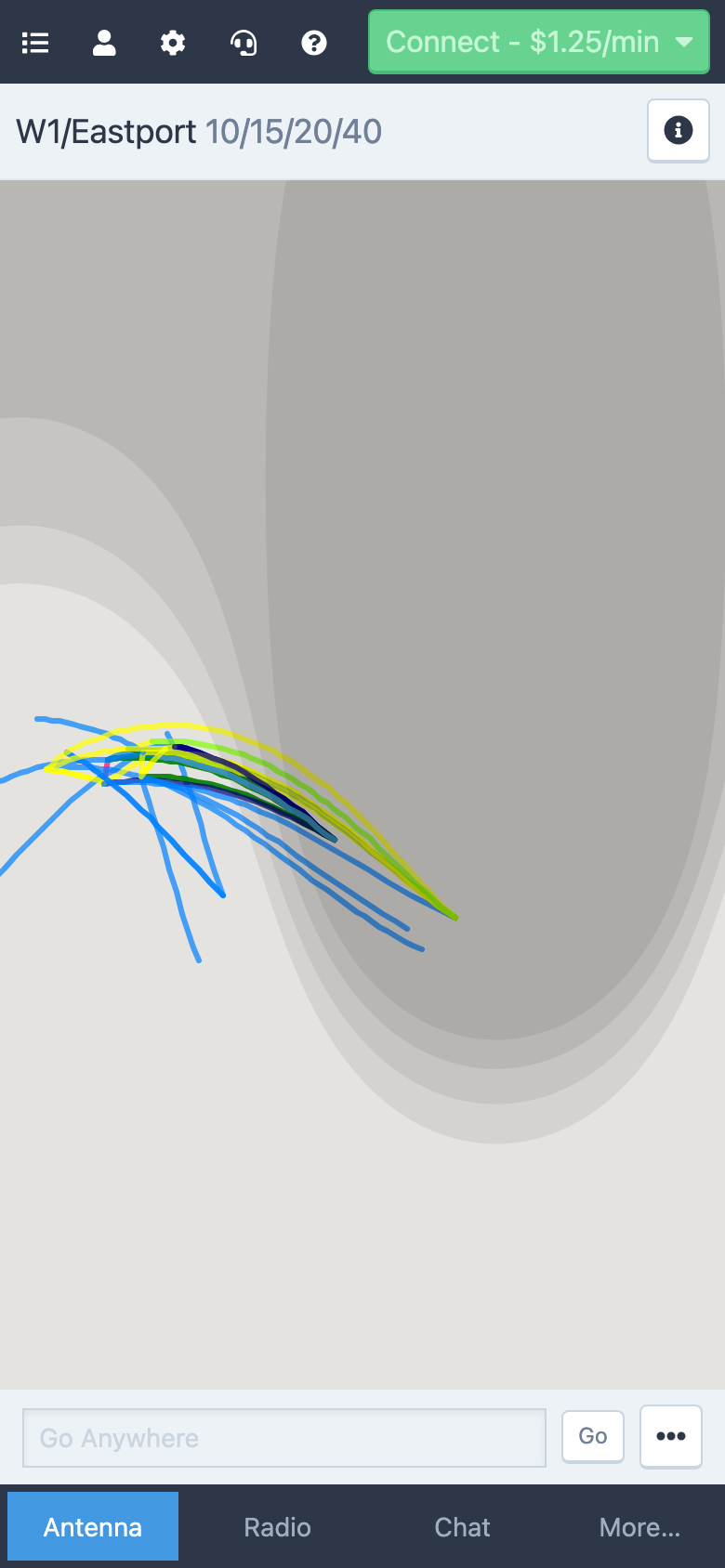
The layout
- The header keeps the same menus as the desktop, shrunk to icons: the station list, your account, Tools, Audio and Help.
- The station header is compact: the station's name and an info button that opens its details, status and connect control in a sheet.
- The tab bar along the bottom replaces the panels: Antenna (the map, antenna switch, rotor presets and Go Anywhere), Radio (the waterfall, the VFOs, transmit controls and amplifier), the current toolbox tab, and More…, which lists Settings, Chat, Log, DX Spots, Station, DX Calendar, News and Satellites.
- The PTT bar sits above the tabs while you are connected. Press and hold it to transmit.
Menus open as full-screen sheets, and settings open the same Console Settings as on the desktop.
Touch gestures
- Drag the knob to tune, or switch to Buttons under Tools → Console Settings → View → VFO Control Style for big step buttons.
- On the panadapter, tap a signal to tune to it, drag with one finger to pan and pinch with two to zoom.
- Press and hold PTT, the XFC button on Icom stations, or any hold-to-act control; lifting your finger releases it.
Audio on a phone
Run the Audio Setup Wizard from the Audio menu the first time. On iOS Safari, allow the microphone when asked; if you declined, tap the aA icon in the address bar, choose Website Settings and set Microphone to Allow, then reload. Some mobile browsers don't let a page pick the speaker or microphone; the wizard says so, and you use the phone's own output and input instead. Keep the screen awake while you operate — the browser pauses audio when the phone locks.
What's different
- The UTC clock and solar indices, the latency label and the toolbox resize handle are hidden on small screens.
- There are no keyboard shortcuts without a keyboard; a tablet with a keyboard attached has them all.
- Voice macro recordings stay on the device they were recorded on.
Related articles
-
Getting started
System requirements
The browsers, network and hardware the console needs, and what LocalMate requires.
-
Operating the console
Audio setup
Run the Audio Setup Wizard, allow the microphone in your browser, choose your speakers and mic, and set the volume.
-
Operating the console
A tour of the console
Where everything is in the console — the header menus, the station list, the control panels and the toolbox.
Still stuck?
Tell us what you were trying to do and what happened, and we'll help.