LoTW sync
Link Logbook of The World, add your TQSL certificate, and let RHR sign and upload your contacts twice a day.
Updated 12 Nov 2026
RHR can sign your contacts with your own TQSL certificate and upload them to Logbook of The World, then fetch the QSLs that come back. It is set up on the Sync tab at /logbook/sync.
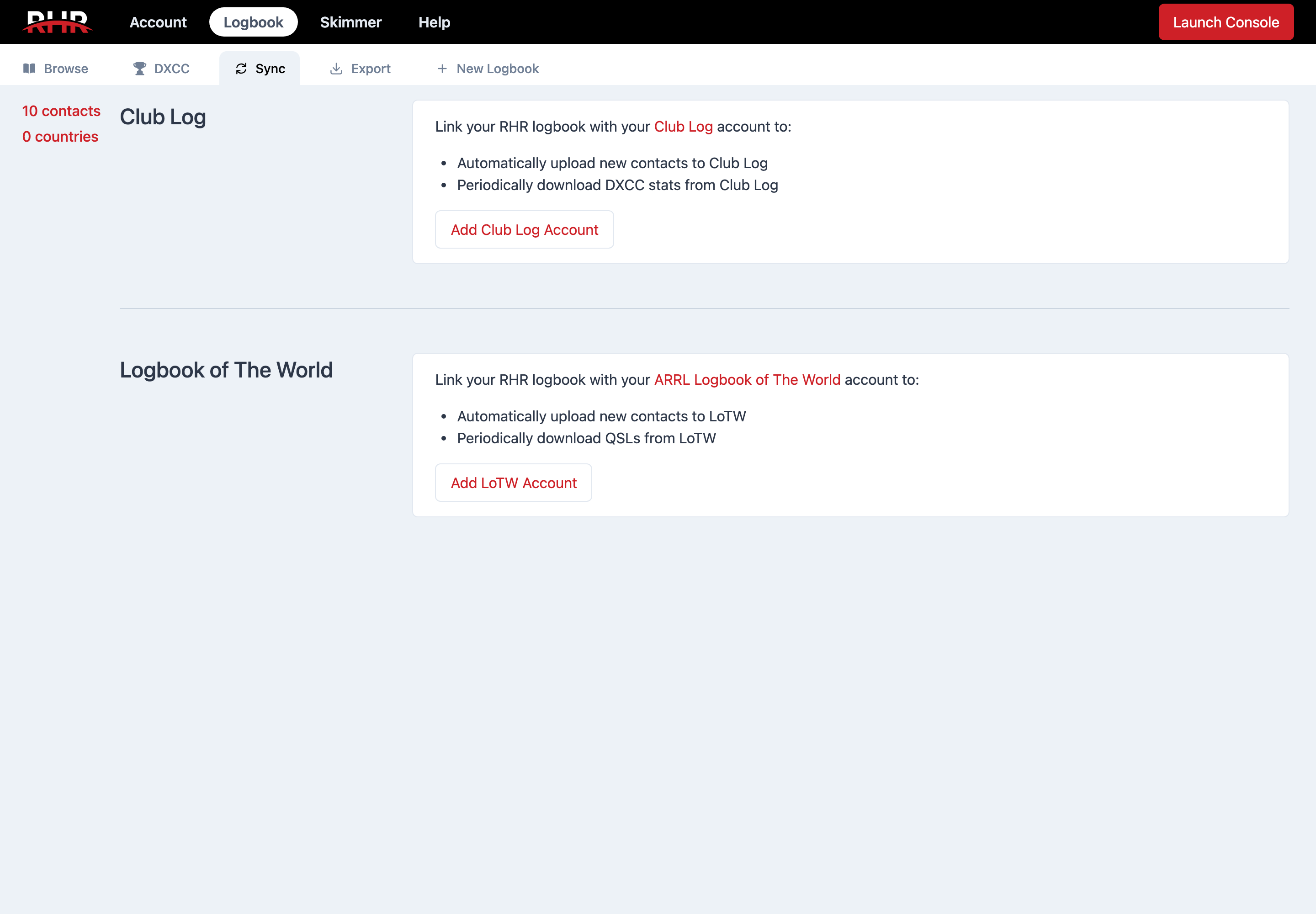
Linking your account
- Under Logbook of The World, click Add LoTW Account.
- Enter your LOTW Username and LOTW Password and click Link to LOTW. RHR checks them with LoTW before saving.
Adding a certificate
Uploads are signed with a callsign certificate exported from TQSL. Until you add one the Sync tab warns Add a certificate for new contacts to be uploaded to LoTW.
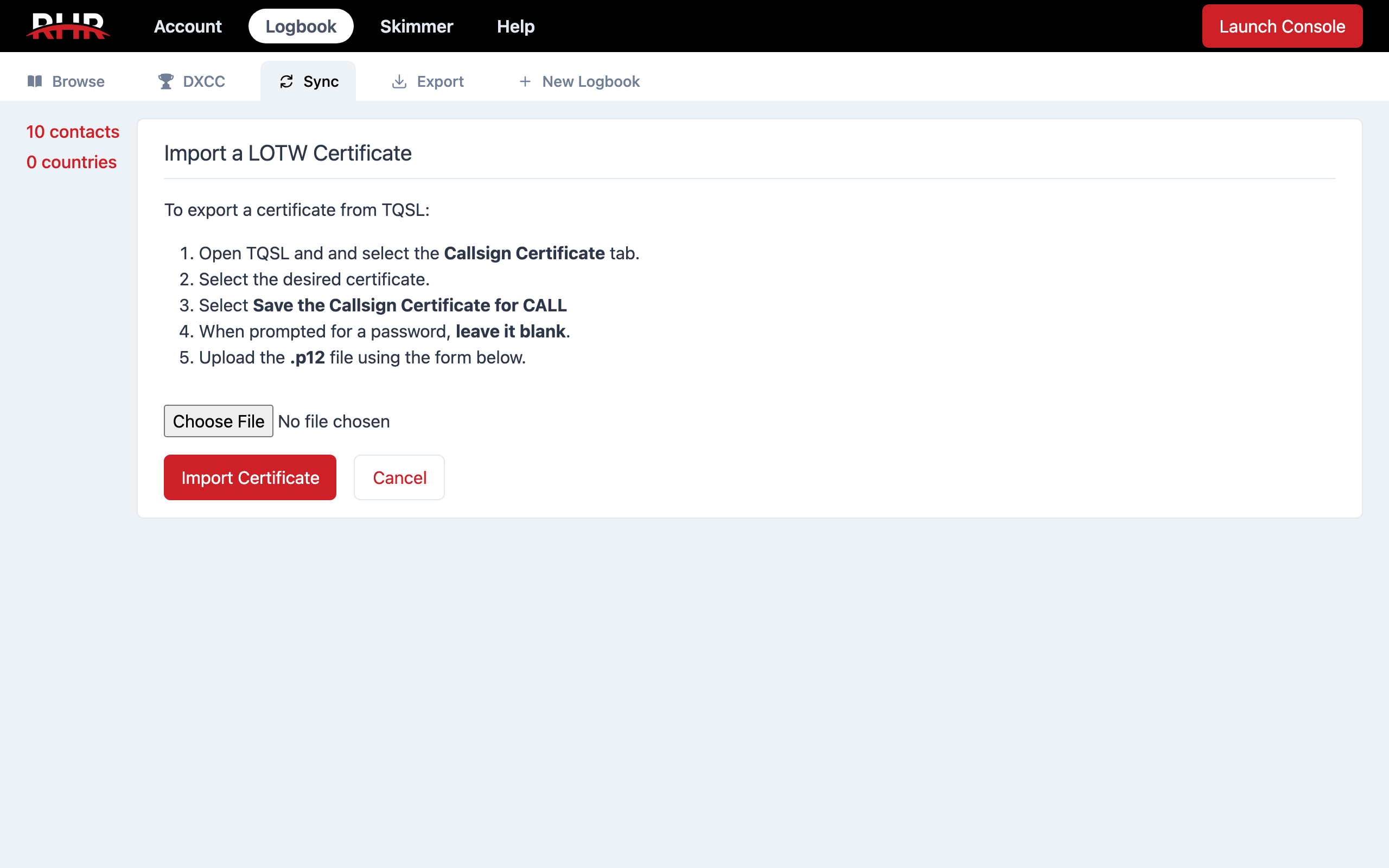
- Click Add a Certificate.
- In TQSL, open the Callsign Certificate tab and select the certificate for the callsign you use on RHR.
- Choose Save the Callsign Certificate for CALL. When TQSL asks for a password, leave it blank.
- Upload the
.p12file it saved and click Import Certificate.
Repeat for each callsign you log with, such as 9A/yourcall for Croatia. Expired certificates are refused. If you already have a certificate for that callsign, RHR shows both and asks whether to Replace Certificate; contacts LoTW had not yet accepted are queued for upload again with the new one.
The certificate table lists each Callsign, its valid dates, Serial, and Download and Remove links; an expired one is marked Expired! in red. Keep your own copy of each .p12.
Uploads and downloads
With QSO Upload on, new contacts are sent at 02:00 and 14:00 UTC. The panel shows how many are waiting and offers Upload N QSOs to LoTW to send them now. With QSL Download on, confirmations are fetched at 03:00 and 15:00 UTC; Fetch QSLs Now does it immediately. A download error is shown in red with its time and message.
On the Browse page each contact's LOTW column has three pills: UP when uploaded, OK when LoTW has accepted it, QSL when the other station has confirmed. The LOTW Status filter selects Not Submitted, Submitted, Accepted or Confirmed contacts, and Checked QSOs... → Resubmit to LoTW sends chosen contacts again.
When LoTW is down
During an LoTW outage RHR pauses sync and shows an orange banner, LOTW sync is temporarily disabled due to a service outage, with a link to LoTW's status page. Nothing is lost; uploads resume when sync is turned back on.
Related articles
-
Logbook
Club Log sync
Link your Club Log account so every new contact is uploaded at once and your DXCC charts come back nightly.
-
Logbook
Browse and edit contacts
Filter your contacts, fix or delete them, move them between logbooks, and manage the logbooks themselves.
-
Logbook
Import ADIF
Bring an existing log into RHR as its own logbook, on accounts with the Import tab.
Still stuck?
Tell us what you were trying to do and what happened, and we'll help.